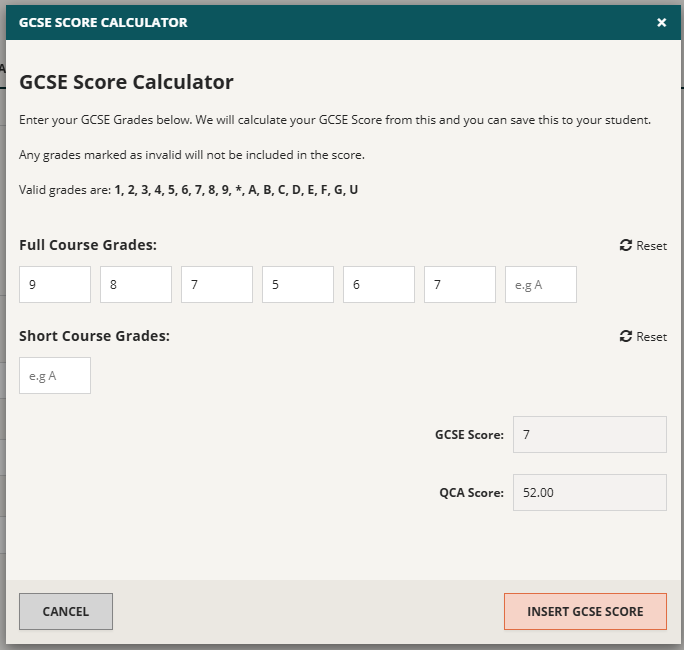
Using the Manual GCSE Score Calculator
This article will show you how you can add and amend Average GCSE Scores for individual students.
From the homepage, navigate to the Students page found in the Data Management tab in the left menu. In the Students screen you can view and edit your list of students by clicking on the pencil tool on the far-right next to any student you wish to edit:
After clicking on the pencil tool, you will see the Edit Student screen, as seen below:
Go to the Prior Attainment' tab and open the manual calculator by clicking Open GCSE Calculator:
After clicking on this, simply enter the student’s achieved GCSE grades one by one, and the calculator will give you the average GCSE score for this student. To submit it press Insert GCSE Score: